Engranajes Family: A Practical Guide to Using Gear-Inspired Dingbats in Real Projects
If you have ever found yourself staring at a design or a document and felt something was missing—some texture, some structural flair, or just a visual cue that communicates industry, motion, or precision—you might have wished for more than the usual checkmarks, arrows, and stars. That is where the Engranajes Family steps in. Created by Graviton, Engranajes is a dingbats symbol typeface built entirely around gear motifs. But calling it a collection of cogs and wheels undersells what it can do in real, everyday work.
Whether you are a small business owner putting together a service menu, a blogger illustrating a how-to post, or a teacher designing a handout for a STEM class, this typeface offers something unusually practical: a set of symbols that carry meaning without needing a single word of explanation. Gears suggest connection, movement, reliability, and engineering. And in the right context, a well-placed gear symbol can communicate all that in a fraction of a second.
This article walks through the Engranajes Family from a realistic, hands-on angle. We will look at who actually benefits from it, where it fits naturally, what to consider before downloading or buying it, and how to avoid the common mistakes people make when using decorative typefaces in serious work.
What exactly is the Engranajes Family
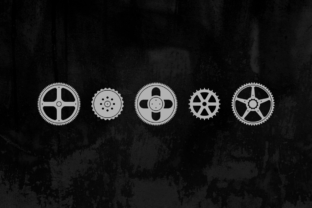
At its simplest, Engranajes is a symbol font—what designers call a dingbats typeface—where each character is a gear or gear-related shape. The family includes several weights and variations, which means you are not stuck with a single outline. You can use thin, bold, solid, or outlined versions depending on the visual weight your project requires.
The name itself comes from the Spanish word for gears, and the entire set revolves around mechanical, industrial, and motion-related visuals. Unlike generic symbol fonts that try to cover everything from animals to zodiac signs, Engranajes stays focused. That focus is its biggest strength. When you use it, there is no confusion about what the symbol represents. A gear is a gear, and that clarity matters in professional and educational settings.
Because it is a typeface, you install it like any other font. Once active, you type specific keys to produce specific gear symbols. That makes it repeatable, scalable, and easy to apply across documents, websites, or graphics without manually placing images every time.
Where people actually use Engranajes in daily work
The practical value of a gear symbol font shows up in places you might not initially consider. Let us walk through several realistic scenarios.
Small business owners and service providers
Imagine you run a local auto repair shop, a machine works, a bicycle service, or even a consulting firm that focuses on process optimization. Your customers need to know you are about precision, reliability, and hands-on expertise. Using gear symbols on your price list, service menu, or website headers reinforces that message visually. Instead of a bullet point with a generic circle, you use a gear. Instead of a horizontal rule, you use a row of small cogs. These are small changes, but they accumulate into a visual identity that feels intentional.
A freelancer offering mechanical design services could use Engranajes in their portfolio to separate sections or highlight technical skills. One gear weight for CAD modeling, another for prototyping, a third for material selection. It creates a subtle visual language that speaks to people who know the industry.
Marketers and content creators in technical niches
If you produce content about manufacturing, engineering, logistics, or industrial processes, you constantly need visuals that break up text without distracting from the subject. Stock photos of factories get repetitive. Icons from general-purpose sets often lack specificity. Engranajes fills that gap. You can use gear symbols as section markers in long articles, as callout indicators for key takeaways, or as decorative elements in slide decks and PDFs.
A blogger writing about supply chain management might use a gear symbol next to each step in a process. A YouTuber creating thumbnail text overlays could use gear symbols as borders or accents. Because the symbols are vector-based through the font, they stay crisp at any size—no pixelation, no mismatched styles.
Educators and trainers
STEM teachers, especially those covering physics, mechanics, or introductory engineering, often need to create worksheets, lab instructions, or presentation slides that are both clear and engaging. A gear symbol can label a diagram, mark a warning about moving parts, or simply make a handout look more professional than a plain text document.
In vocational training settings, where learners are preparing for hands-on trades, using authentic visual cues matters. Seeing actual gear symbols in training materials reinforces the connection between the classroom and the workshop. A trainer in a manufacturing certification program could use Engranajes to create a visual checklist for machine safety procedures—each step marked with a different gear weight to indicate priority.
Even in non-technical teaching, the symbol can work. A math teacher covering ratios and rotational motion can use gear icons to illustrate problems. A business instructor teaching process improvement can use gears to represent interconnected steps.
Publishers and document designers
If you produce manuals, white papers, or technical reports, you know that readability is not just about font choice for body text. The small visual elements—bullets, dividers, callout icons—contribute heavily to how approachable a document feels. Engranajes gives you a coherent set of symbols that fit technical and industrial topics naturally.
A publisher creating a series of eBooks on mechanical engineering could use gear symbols consistently across all volumes. Readers begin to associate the symbol with the content, and the branding becomes stronger without any extra effort. For printed materials, the font-based symbols scale cleanly and reproduce well, which avoids the common headache of image-based icons that look blurry after printing.
How different users benefit in specific situations
Not everyone will use Engranajes the same way, and that is fine. The typeface is flexible enough to serve distinct needs depending on your role and your audience.
Entrepreneurs building a brand from scratch
When you are starting a business, every visual decision matters, and budget is usually tight. Buying a dedicated symbol font is far cheaper than commissioning custom icons. Engranajes gives you a ready-made visual language that you can apply to your website, business cards, social media graphics, and printed materials. If your business relates to machines, tools, construction, logistics, or any form of systems thinking, the gear motif aligns naturally with your message. Over time, that consistency builds recognition.
Hobbyists and makers
If you run a YouTube channel about restoring vintage machinery or a blog about 3D printing mechanical parts, you are always looking for ways to elevate your visuals without spending hours in design software. Engranajes lets you add professional-looking accents quickly. A gear symbol in the corner of a video title card, a row of cogs separating sections in a build log, or a custom logo made entirely from gear characters—all of these are achievable with basic software skills.
Everyday users creating personal projects
Not every use of Engranajes is commercial. People design invitations for engineering-themed parties, create custom calendars for industrial workspaces, or build visual trackers for home improvement projects. A gear symbol can mark a completed task on a DIY renovation checklist. It can decorate a resume for a machinist position. It can add personality to a personal letterhead or a family newsletter. The barrier is low, but the effect is noticeable.
What to consider before using Engranajes
Like any specialized tool, this typeface works best when you understand its strengths and limitations. Here are a few practical considerations before you integrate it into your work.
Context matters more than you think
Gear symbols carry strong industrial and mechanical connotations. If your project is about healthcare, wellness, finance, or creative arts, the symbols may feel out of place unless you intentionally want to evoke machinery or process. A gear in a medical brochure might confuse readers unless the topic is about medical device manufacturing. Always test how the symbol reads in your specific context. Ask a colleague or a test reader what they associate with the icon before committing to it.
Font weight selection is not just aesthetic
The Engranajes Family includes multiple weights. Thin outlined gears work well as subtle dividers or secondary accents. Bold solid gears draw immediate attention and are better for primary callouts or headers. Mixing weights within the same document can create visual hierarchy, but using too many variations in a single page can feel chaotic. Stick to two weights maximum for most projects. Let the heavier weight carry the main visual load and the lighter weight support it.
Pairing with other typefaces
Engranajes is a symbol font, not a text font. You will always pair it with a regular typeface for body copy and headings. Choose a clean, neutral sans-serif or a sturdy serif that does not compete with the mechanical feel of the gears. Avoid pairing it with overly decorative or script fonts, as the clash in style can make the design feel disjointed. Test a few combinations before settling. The goal is for the gear symbols to feel like a natural extension of the overall design, not a foreign element.
Licensing and file formats
Before downloading or buying Engranajes, check the license terms. Some font licenses restrict commercial use, number of installations, or embedding in digital documents. If you plan to use the typeface in a product you sell—like an eBook, a template, or a logo—make sure the license covers that scenario. Also confirm the file formats available. Most modern projects work with OTF or TTF, but if you use specific software like Canva or Silhouette Studio, verify compatibility ahead of time.
Accessibility and readability
Symbol fonts can create accessibility issues if used carelessly. Screen readers typically cannot interpret dingbats characters. If a gear symbol conveys information that is essential to understanding the content, provide a text alternative. For decorative uses, this is less of a concern, but always consider whether someone relying on assistive technology will miss something important. In educational or professional documents, err on the side of clarity.
Making the most of Engranajes in real projects
Getting good results with Engranajes is not about using it everywhere. It is about using it where it earns its place. Start small. Add gear symbols to a single document or a single web page. See how it feels. Adjust the size, spacing, and weight until it looks intentional rather than decorative. Notice whether readers or clients comment on it. If they do, that is a good sign—it means the symbol is communicating, not just decorating.
For digital projects, test how the symbols look on different screen sizes. A gear that reads clearly on a desktop monitor might look muddy on a phone screen, especially if it is thin or highly detailed. For print projects, run a test page before doing a full run. Check how the symbols reproduce on your intended paper stock. Some fine details in lighter weights may fill in or disappear depending on the printing method.
Consider building a small library of reusable templates using Engranajes. A set of section dividers, a selection of bullet points, and a few header accents can save you time on future projects. Once the initial setup is done, applying the symbols becomes as fast as typing a character.
Final thoughts on working with gear symbols
The Engranajes Family by Graviton is a focused, well-executed tool for anyone who needs mechanical or industrial visual language on a regular basis. It does not try to be everything. It does one thing and does it thoroughly. That makes it reliable in the hands of a small business owner, a teacher, a marketer, a blogger, or a hobbyist. The key is to treat it as a practical resource rather than a decorative novelty. When you use it with intention, it adds clarity and character to your work. When you use it without thought, it can clutter the message.
Before you commit to any design element, ask yourself what it contributes. If a gear symbol helps your audience understand your content faster or remember it longer, it belongs there. If it just fills space, leave it out. That principle applies to every font, every icon, and every visual choice you make. Engranajes is a good tool, but it is still just a tool. The value comes from how you use it.